
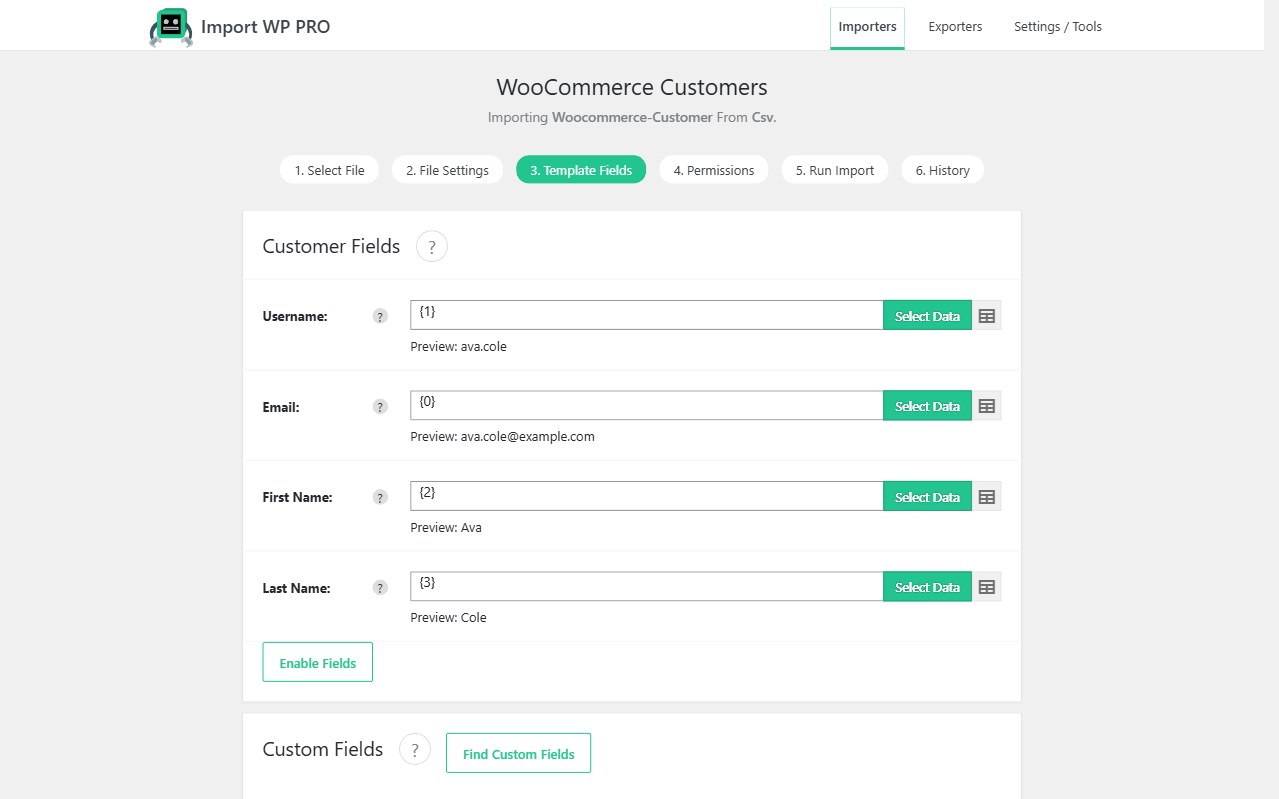
A catalogue import without customers and orders is an empty shop. The Import WP WooCommerce add-on now includes two templates alongside WooCommerce Products:
- WooCommerce Customers — WordPress users with the customer role, plus billing and shipping addresses written through WooCommerce
- WooCommerce Orders — real
shop_orderrecords with status, customer, addresses, line items, and totals
Both ship in the free WooCommerce add-on. Also see the WooCommerce importer.
Import WooCommerce customer accounts
Create an importer and choose WooCommerce Customers. Map email (unique identifier), name, and the Billing Address / Shipping Address groups. Country is a two-letter code (GB, US). If role is unmapped, new accounts get the customer role.
Customer notification emails are off by default so a migration does not mail every imported account. Turn them on only when you want WooCommerce new-account emails.
Full field map, CSV example, and password settings: Import WooCommerce Customers.
Import WooCommerce orders (order history)
Create a second importer and choose WooCommerce Orders. Map a stable Order Key (the unique identifier — WooCommerce IDs cannot be inserted). Link the shopper with Customer → Email (or username / ID). Add Line Items on the same row (SKU + quantity). Nested XML uses the line-item repeater node.
Products must exist before line items resolve. Customers should exist before you expect My Account order history. Guest orders are created when the customer lookup misses.
Full field map, totals, and the “one record per order” rule: Import WooCommerce Orders.
Store migration sequence
Replatforms (Shopify, Magento, BigCommerce, or another WooCommerce site) should run three importers, not one mixed file:
- Products and variations — WooCommerce Products so SKUs exist
- Customers — email as unique key
- Orders — order key as unique key, customer by email, line items by SKU
Keep unique keys separate. Do not mix a nightly stock feed with a one-off order history import.
Re-imports
- Customers: update by email; leave password unmapped unless you intend to reset it
- Orders: update by order key; line items on the matched order are replaced with the items in the file
Docs: Import WooCommerce Customers · Import WooCommerce Orders · Permissions.