
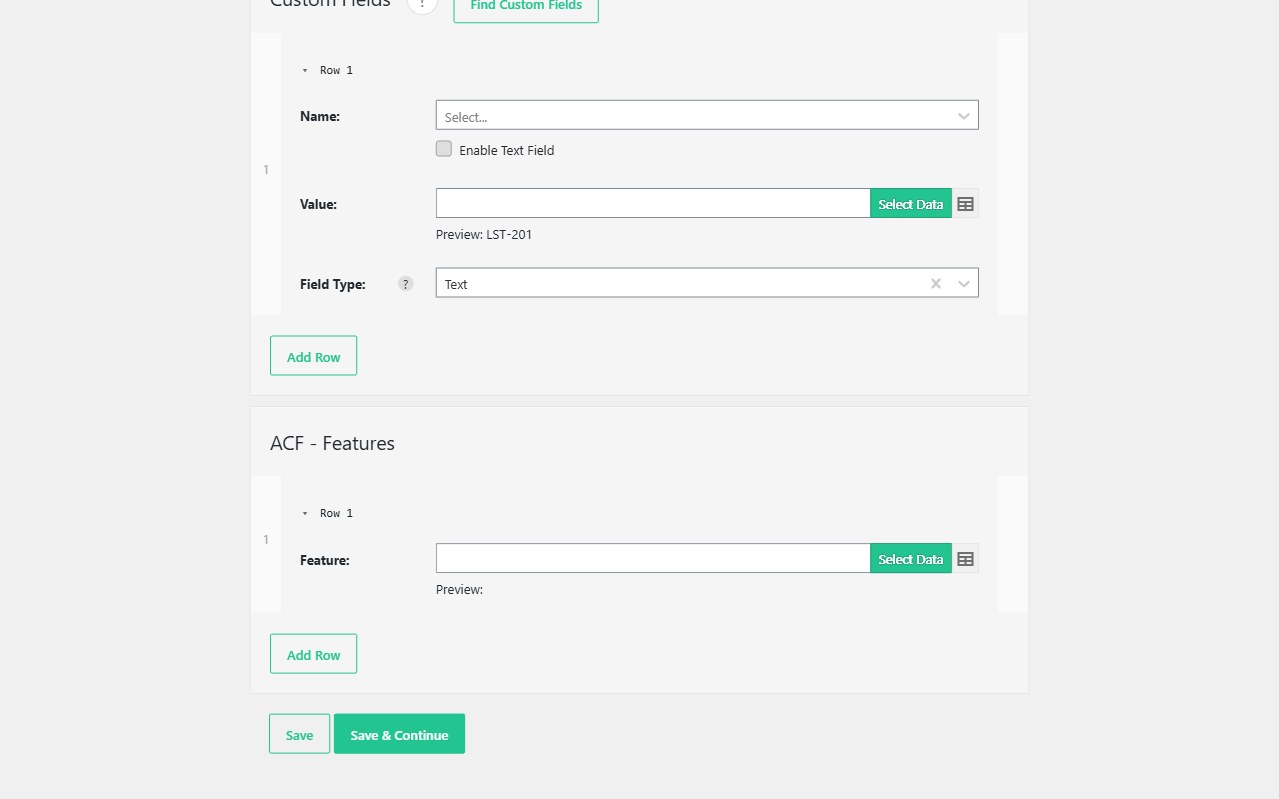
Advanced Custom Fields is where most WordPress importers stop. Text fields might land; repeaters, galleries, maps, and relationships usually need custom PHP. Import WP Pro includes an ACF CSV/XML importer natively, so you map feed columns and nodes onto ACF Free and ACF Pro field groups with the same visual workflow as posts, pages, custom post types, users, and taxonomies.
Included in Import WP Pro — no separate ACF add-on to download or license.
Import ACF Pro fields in WordPress without PHP snippets
On the Template Fields step, ACF fields appear in the custom field dropdown, prefixed with the group name. Choose a field and Import WP switches to the matching control: text, number, true/false, date/time, link, Google Maps, file, image, and the rest of the ACF core set.
That matters on real builds. Agencies do not want a one-off snippet per field group every time a client adds a “price”, “plot size”, or “opening hours” field. Map the CSV column or XML node once, save the importer, and re-run it when the feed updates.
Works on any Import WP template that supports custom fields — posts, pages, CPTs, users, and terms — so directory listings, property records, and membership profiles all share the same ACF mapping pattern.
Repeaters, galleries, relationships, and flexible layouts
Simple meta is not the reason teams upgrade. The ACF integration is built for the field types that break spreadsheet plugins:
- Repeaters and groups — multi-row sub-fields such as FAQs, floor plans, team members, and spec tables. Import CSV and XML into ACF repeater fields.
- Galleries, post objects, and relationships — remote image URLs and related content resolved by ID, slug, or SKU. Import ACF galleries and relationships.
- Flexible content — layout keys in the feed routed to the matching flexible content block. Bulk import ACF flexible content.
Repeaters, galleries, relationships, and flexible content each have their own guide. Here: which fields appear in the dropdown, unique keys, and how ACF is included in Import WP Pro.
Update existing ACF fields without overwriting unchanged metadata
Most ACF sites are not greenfield. Listings already have editorial copy, galleries, and relationship links you must not wipe on a nightly supplier sync.
Set a unique identifier (SKU, reference, email, or another stable key) so Import WP finds the existing post, user, or term. Permissions then control insert versus update. Re-import a price, stock-adjacent custom field, or gallery URL without replacing every ACF value on the record.
Skip unchanged rows when the feed has not moved — faster runs, less media re-download, and fewer accidental overwrites. That is the difference between a one-off migration and a feed you can trust in production.
CSV and XML sources, unique keys, and export
The ACF CSV/XML importer uses the same file pipeline as the rest of Import WP: upload, remote URL, FTP/SFTP, server path, or Google Sheets. Nested XML is mapped with the visual selector rather than a hand-written parser for every new feed.
Pair ACF mapping with:
- CSV, XML, and Excel parsing for nested catalogues and awkward delimiters
- Scheduled imports to refresh ACF-heavy CPTs on cron
- WordPress data exporter when you need to export Advanced Custom Fields alongside posts for migrations or backups
ACF importer FAQ
Is ACF included in Import WP Pro or is it a paid add-on?
Can I import ACF from XML as well as CSV?
Will a re-import overwrite fields I did not map?
Step-by-step: Import ACF data · Import ACF repeaters · ACF FAQ. Compare plans: Import WP Pro pricing.