
Spreadsheet plugins handle a few dozen simple products. They struggle with variation matrices, nested XML, galleries, and supplier files that change every night. Import WP’s WooCommerce product importer is a free add-on: a dedicated WooCommerce Products template that maps CSV columns and XML nodes onto product fields, attributes, pricing, inventory, and media — then updates the same catalogue by SKU on the next run.
Free add-on — works with the free Import WP plugin. Import WP Pro adds scheduled cron, custom fields, and ACF. JetEngine and Pods remain Pro add-ons.
Import WooCommerce products from CSV
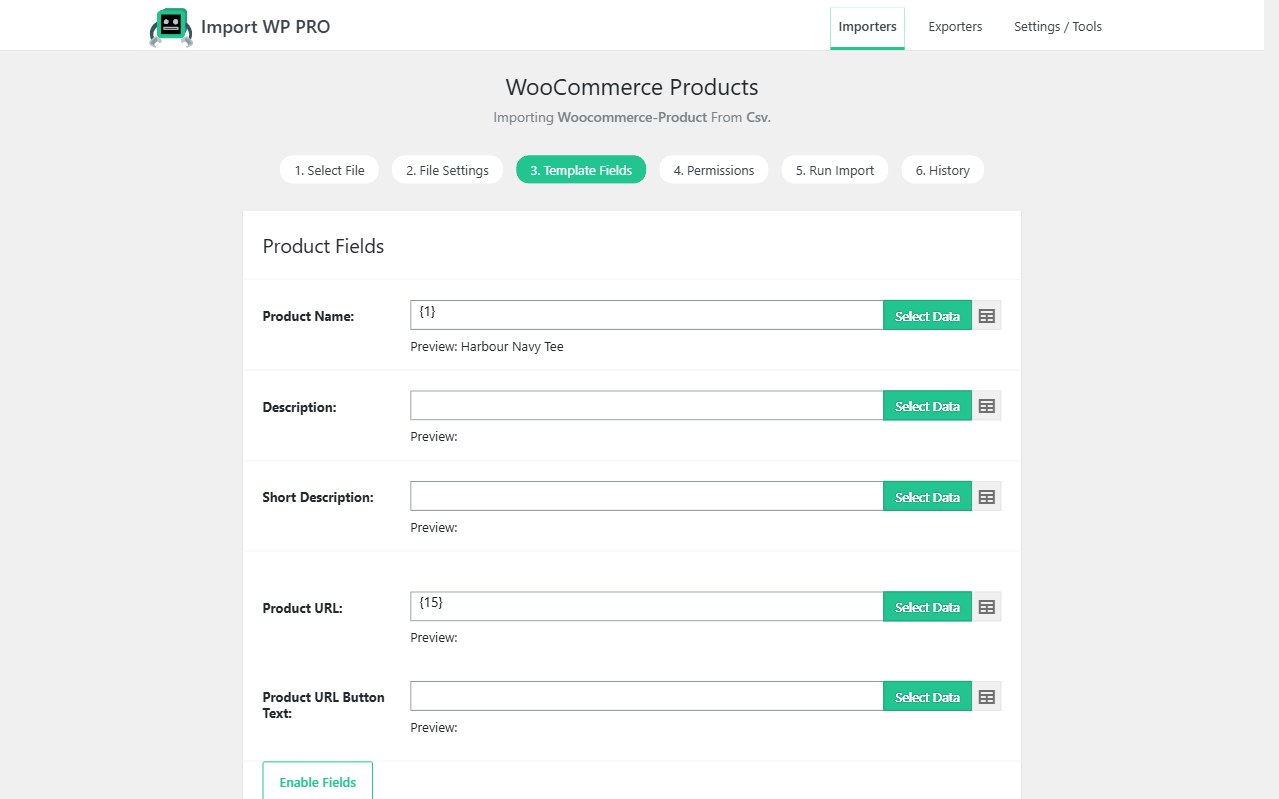
Create an importer, choose WooCommerce Products, and map the sections that mirror the edit-product screen: product fields, pricing, inventory, attributes, gallery, taxonomies, linked products, and advanced parent/SKU controls.
Simple products can start with a name and regular price. Enable Product Type when the file mixes simple, grouped, external, variable, and variation rows. SKU becomes the default unique identifier so a second run updates instead of duplicating.
You can import:
- Names, descriptions, SKUs, and GTINs
- Regular and sale prices
- Categories, tags, shipping classes, and custom product taxonomies
- Attributes used for variations or for display
- Featured images and product galleries from URLs, FTP, or local files
Walkthrough with a sample file: Import WooCommerce products from CSV/XML.
WooCommerce XML product importer for nested catalogues
Many wholesalers do not ship flat CSV. They ship XML with nested variation, image, and attribute nodes. Import WP’s visual selector maps those nodes without a custom XPath project every time the vendor changes a tag name.
Fetch the feed from HTTP, FTP, SFTP, or Google Drive, then save the mapping. Nested XML: product feeds. Excel workbooks use the XLSX reader so you are not converting to CSV first.
Bulk import WooCommerce stock, prices, and variations
A full product re-import is the wrong tool when only inventory moved. Map SKU, stock quantity, stock status, and prices, then skip unchanged rows so a 20,000 SKU catalogue does not rewrite every product.
- Variable products and variations — parent rows, attribute matrices, per-variation SKU, image, stock, and sale price
- Stock and price sync — hourly or daily supplier CSVs on Pro cron
- XML feeds — nested catalogues from FTP or HTTP
Background batching keeps the storefront usable while large files run. Unique keys and permissions decide insert, update, or skip.
Import WooCommerce products, customers, and orders together
Catalogue import is only half of a store move. The same add-on now ships WooCommerce Customers and WooCommerce Orders templates — not the generic Users or Posts templates.
Typical stack:
- Products and variations (this add-on)
- Customers — email as unique key, billing/shipping addresses
- Orders — order key as unique key, line items by SKU, customer by email
- Optional ACF extras on products (ACF importer, Pro)
- Optional scheduled imports for the live supplier feed (not for one-off order history)
See also: Orders and customers.
WooCommerce importer FAQ
Is the WooCommerce add-on free?
Can I import variable products from CSV and XML?
variable; child rows use variation and link via parent SKU. Nested XML uses the visual selector. See product variations.How do I update stock without rewriting product descriptions?
Install the add-on and follow WooCommerce product import. More how-tos: products · variations · customers · orders. Compare Free vs Pro: pricing.