
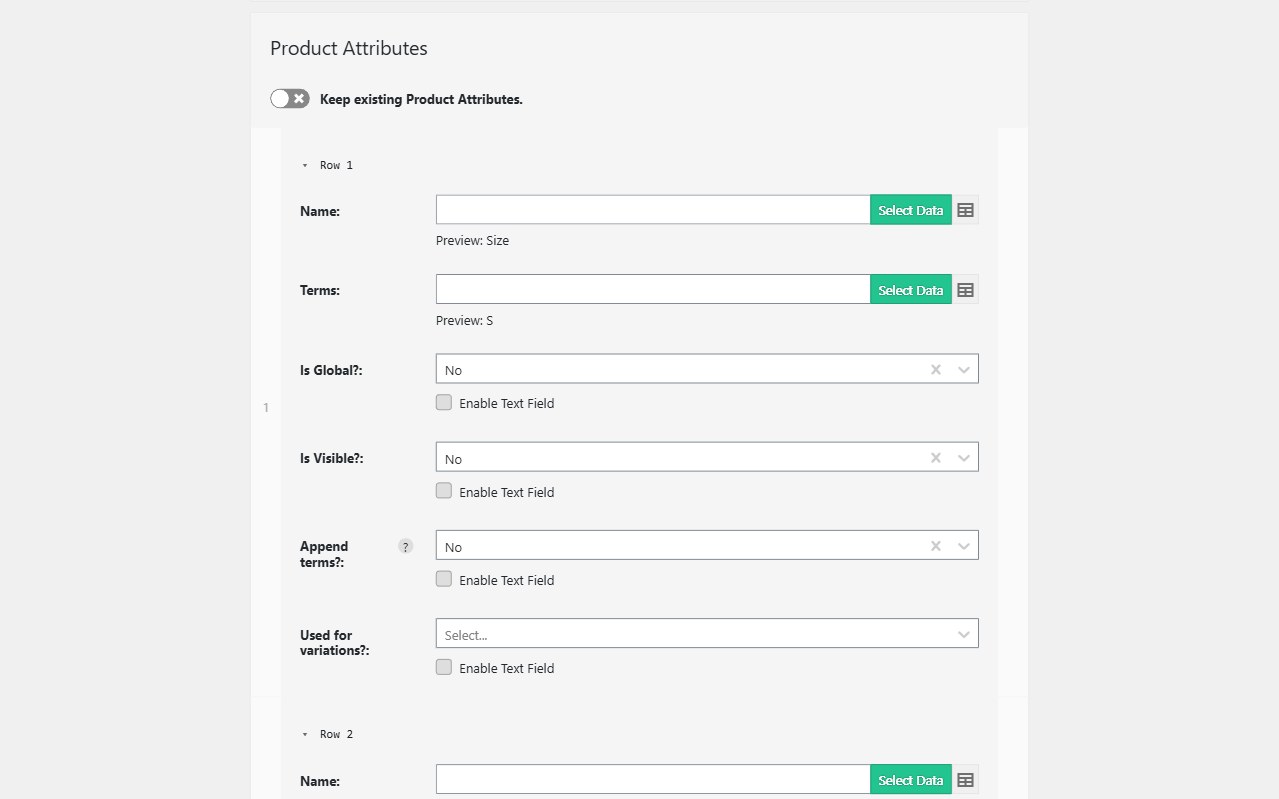
Variable products are the most common WooCommerce import failure. The parent holds the name, description, attributes, and gallery. Each variation is a child row: one combination of attributes, plus its own SKU, price, stock, and often its own image. Import WP’s WooCommerce add-on imports both row types in one template so you are not building matrices by hand.
Also see the WooCommerce importer. Checklist and sample CSV: Import variable products.
Import WooCommerce variable products from CSV
Use two kinds of rows:
| Row | Product type | Role |
|---|---|---|
| Parent | variable |
Name, description, attributes marked for variations, categories, gallery |
| Child | variation |
One attribute combination, price, SKU, stock, optional image |
On the parent, map Product Attributes (Colour, Size, Material) and mark them used for variations. On each child, set Advanced → Parent to the parent SKU and map the single attribute term for that variation.
A three-colour product is one variable row plus three variation rows — not three simple products. Re-runs match on SKU so you update prices without duplicating the parent.
Bulk import product variations from XML
Nested XML often stores variations as child nodes under a product. Map the parent product from the outer node, then map variation nodes with the visual selector. Attribute names and terms come from those children; you do not flatten the feed into a wide CSV unless you prefer to.
The same unique-key rules apply: parent SKU on the variable product, variation SKU on each child, parent link on every variation row. When the vendor adds a new size, the next import creates the extra variation instead of a new parent.
Variation SKUs, images, stock, and sale prices
Child-level data is why this importer exists:
- SKU — unique per variation so stock and price updates hit the right size/colour
- Regular and sale price — mapped under Pricing on the variation row
- Stock quantity and status — inventory at variation level, not only on the parent
- Image — per-variation media from a URL or path, using the same attachment pipeline as product galleries
If variations fail to show on the product page, it is usually attributes not marked for variations, a missing parent SKU link, or product type not set to variation on child rows. How-to checklist: Import variable products and variations. Attributes: Import product attributes.
Related: stock and price sync when only inventory changes · XML product feeds for nested supplier files.