
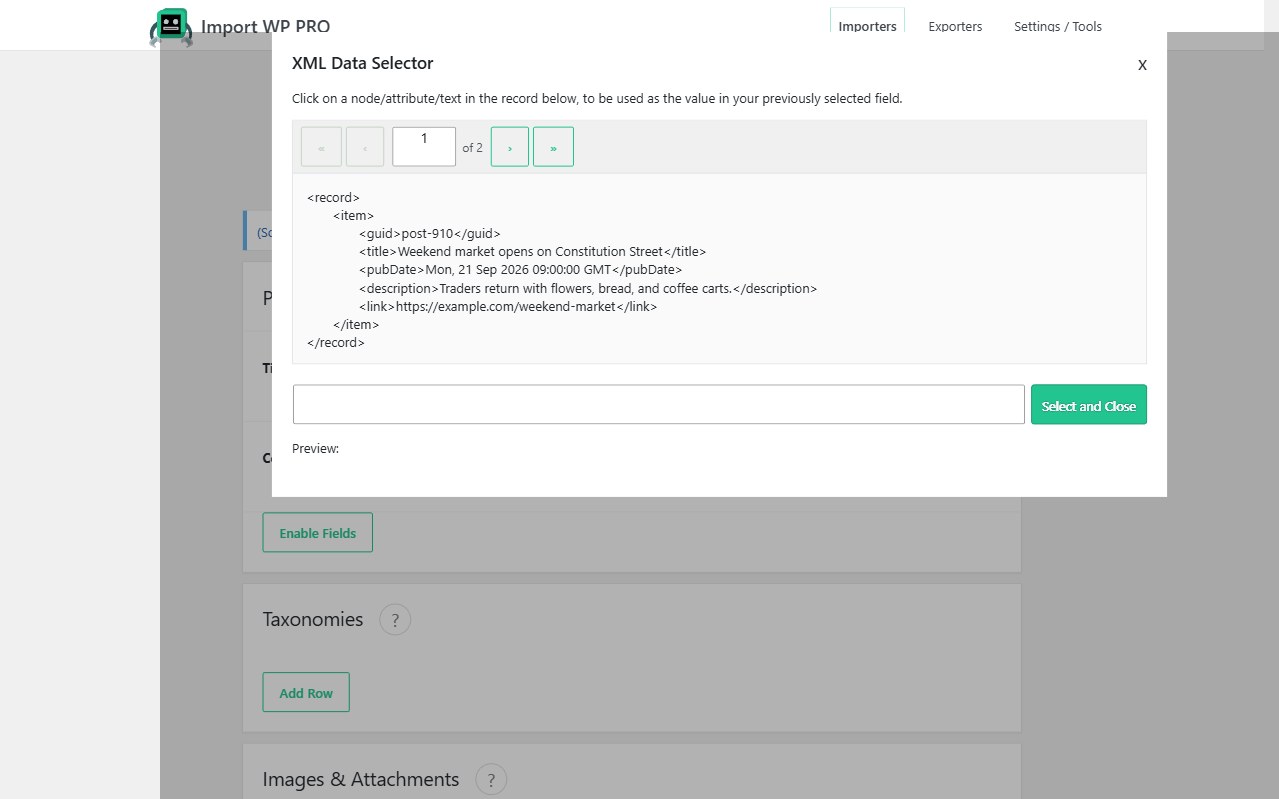
A large share of wholesale catalogues is nested XML, not CSV. Products wrap variations; variations wrap attributes; image nodes sit three levels down. Import WP’s WooCommerce XML product importer maps those nodes with a visual selector, then fetches the file from the same places suppliers already publish it.
Also see the WooCommerce importer. Parser details: CSV, XML, and Excel.
Nested XML WooCommerce import (visual mapping)
Open the data selector on each product field and click the node you need. You are not maintaining a custom XPath library for every vendor rename. Nested catalogues — product → variation → attribute, or product → images → url — map the same way as a flat CSV, including the WooCommerce Products template sections (pricing, inventory, attributes, gallery).
When the XML uses repeating child nodes for variations, combine this page with variable products: parent from the outer node, children from the repeating variation node, parent SKU as the link.
Preview the first record before you run. If a node is empty on record 1 but populated later, map it anyway; empty values should not wipe existing product data unless you configured the field to do that.
XML feeds to variable products, images, and attributes
Typical XML jobs this add-on is for:
- Variable products with nested size/colour nodes
- Multiple image URLs per product (comma-separated after mapping, or repeating image nodes)
- Category paths and attributes that are elements, not columns
- Locale or currency nodes you filter before import (filter records)
You can still export or convert to CSV, but you should not have to. The WooCommerce template does not care whether the source is .xml or .csv once the fields are mapped.
Fetch WooCommerce XML via FTP, SFTP, HTTP, or Google Drive
Suppliers rarely email a file. Point Import WP at:
- Remote HTTP(S) URL
- FTP or SFTP
- Google Drive / Google Sheets where that is how the vendor shares
- Server path for drops that already land on the box
Pro scheduling turns that fetch into an hourly or daily sync. If the vendor ships a .zip containing the XML, use the ZIP archive importer. Stock-only XML: stock and price sync.
How-to: Import WooCommerce products from CSV/XML · Import WooCommerce Products.