
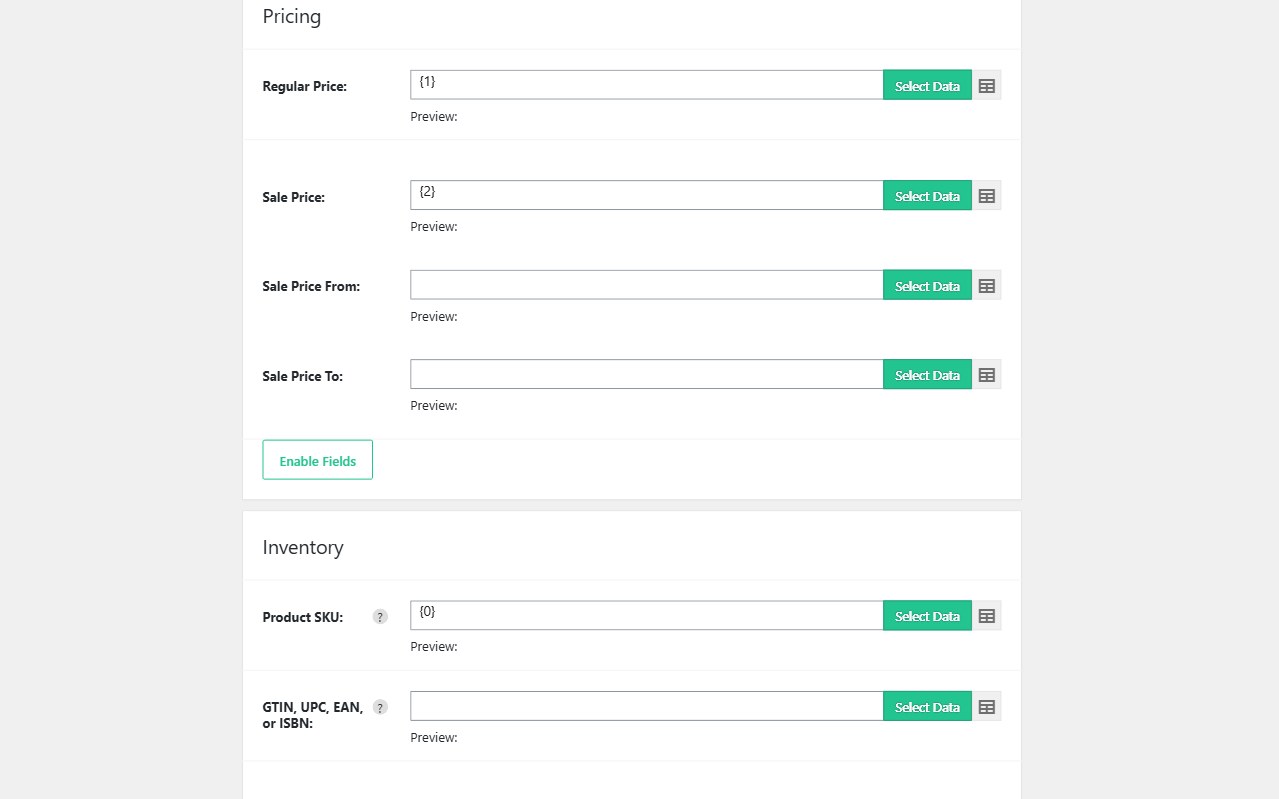
When a supplier file only changes price and stock, a full product import is wasteful and risky. Descriptions, galleries, and attributes should stay as they are. Import WP updates WooCommerce inventory and pricing by SKU from CSV or XML, then skips rows that have not changed since the last successful run.
The WooCommerce add-on is free. Scheduling is Import WP Pro. Also see the WooCommerce importer. Related feature: scheduled imports.
Bulk update WooCommerce prices from CSV
Map Product SKU as the unique identifier, then map regular price, sale price, and sale dates if the feed includes them. Leave name, content, and gallery unmapped so those fields are not overwritten.
Permissions should allow update on existing products and, if you want, create for new SKUs. A price-only file with 10,000 rows should not require 10,000 editorial fields. Pricing field map: product pricing.
Sync WooCommerce stock from an XML (or CSV) feed
Inventory columns are SKU, stock quantity, stock status, and optionally backorders or manage-stock flags. XML feeds use the same mapping; point the visual selector at the stock node. FTP, SFTP, or HTTP fetch means you are not uploading a spreadsheet every morning.
Skip unchanged products: if quantity and price match what WooCommerce already stores, Import WP does not rewrite the product. That keeps server load and bandwidth down on large catalogues and avoids touching post_modified on every SKU for no reason.
Scheduled WooCommerce inventory sync (Pro)
With Pro, run the importer on WP-Cron or a server cron runner: hourly for fast-moving stock, daily for wholesale price lists. Combine with:
- Unique identifier = SKU (or GTIN if that is what the vendor uses)
- Update-only permissions when you must never insert stray products
- ZIP archive importer if the vendor drops a compressed file
- XML product feeds when the file is nested, not flat
Variation-level stock still belongs on variation rows — see variable products. Docs: product stock and inventory · product pricing.