
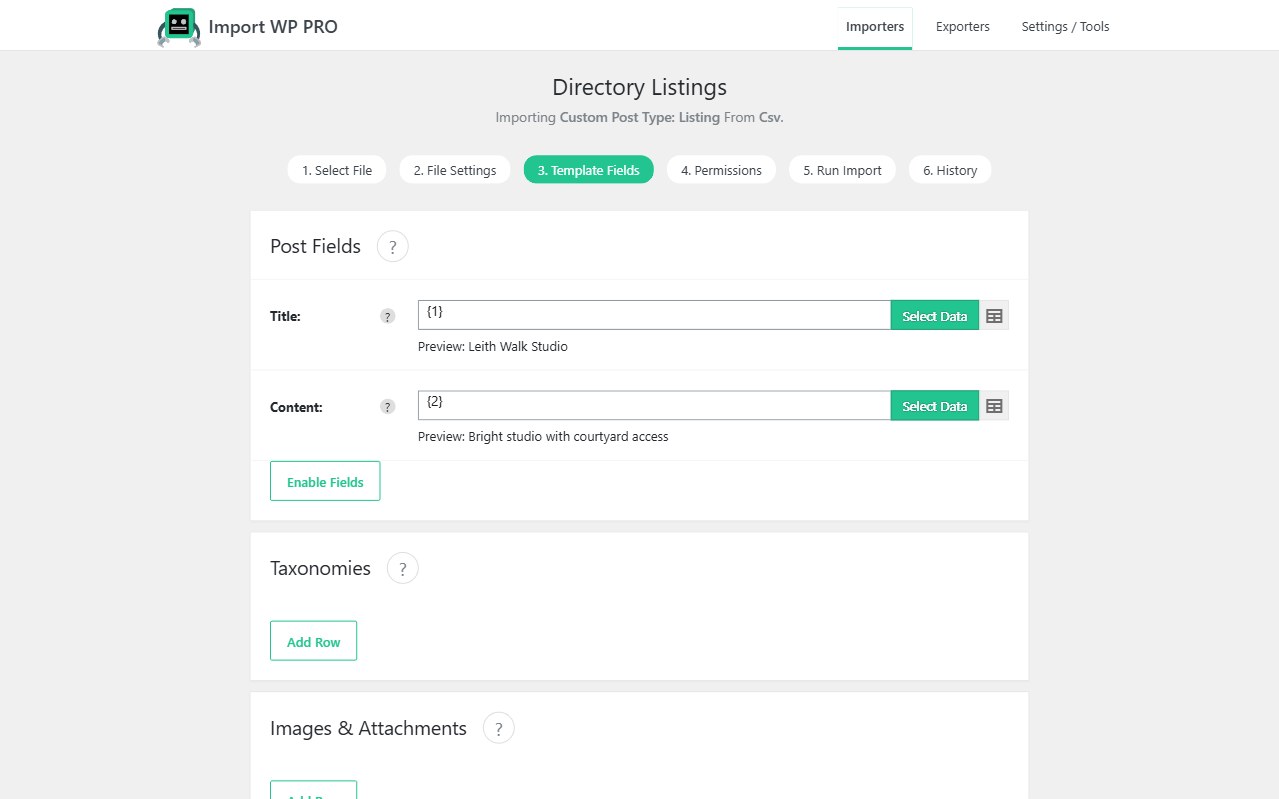
Custom post types are the real site: properties, events, directories, portfolios, documentation. Import WP Pro imports CSV or XML into any registered CPT and its taxonomies — including hierarchical term trees created during the import — without a custom PHP importer per post type.
For posts, users, media, and unique keys, see the WordPress data importer.
Requires Import WP Pro. Core posts, pages, categories, and tags stay in the free plugin.
Import CSV data into a custom post type
Create an importer and choose the CPT your theme or plugin registered. Mapping is the same visual selector as posts: title, content, slug, status, author, dates, parent, menu order, plus attachments and (in Pro) custom fields.
A typical import CSV to custom post type job is a listing dump: reference ID, title, body, location, price, and an image URL. Set that reference (or slug, or SKU-style code) as the unique identifier so a nightly file updates existing listings instead of creating duplicates.
You do not need a separate importer plugin because the CPT is called property or event. If WordPress can register it, Import WP Pro can target it. Pair with ACF when the listing model is field groups, or with JetEngine / Pods when those are the meta engines.
Permissions still apply: insert new references, update matched ones, skip unchanged rows. Details: How to add an importer and Permissions.
Import hierarchical taxonomies in WordPress
Terms can be created in two places.
On the CPT row — the taxonomies panel appears for taxonomies registered to that post type. Add a row, pick the taxonomy, map term names (or slugs / IDs), and split multiple terms with a delimiter. Enable hierarchy when the file encodes parents, for example Region > Town > Neighbourhood. Choose whether the post is attached to every level or only the last term, and whether new terms append or replace.
As their own import — the Taxonomy template is for term archives: name, description, parent (ID, slug, name, or a reference column), alias, and term meta. Use it when you must bulk import WordPress taxonomies before posts exist, or when you need to import custom taxonomies from XML with nested parent nodes.
That covers real estate locations, directory categories, event types, and documentation trees without hand-building the hierarchy in wp-admin.
Guides: Import taxonomies onto a post type · Taxonomy importer template.
Map taxonomy meta fields from CSV or XML
Supplier and CRM feeds often carry attributes that belong on the term, not the post: location coordinates, category icons, SEO blurbs, filter labels.
Since WordPress 4.4, term meta is first-class. Map those columns or XML nodes onto taxonomy custom fields the same way you map post meta. The visual selector works for CSV and nested XML; you are not writing a parser for each new feed.
Keep a unique key on the term (slug is usually enough) so re-imports update meta without creating duplicate categories. Combine with CPT unique keys so posts stay attached to the same terms after a refresh.
Custom fields on posts, users, and terms: Import WordPress custom fields. Parser behaviour for nested XML: CSV, XML, and Excel.
View Pro pricing when you are ready to import WordPress custom post types in production.