
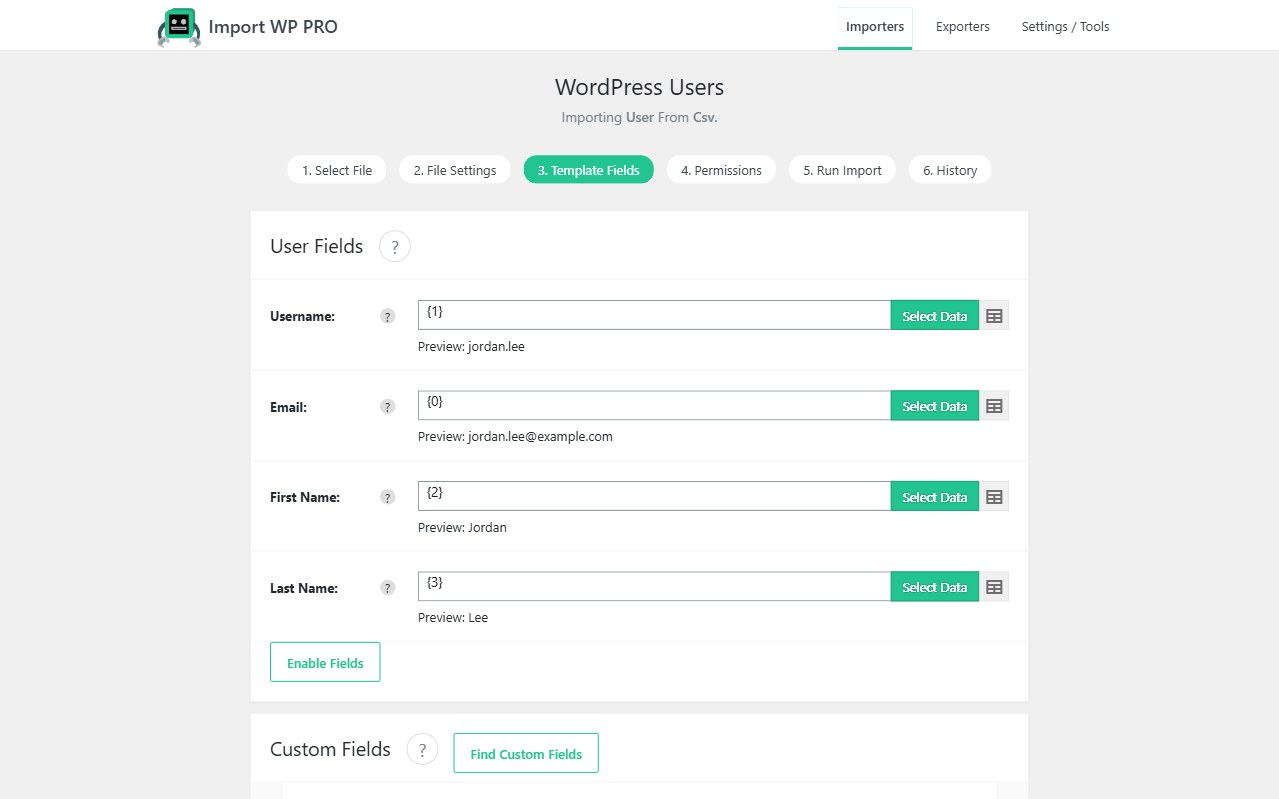
Membership, LMS, and CRM moves start with people. Import WP bulk-imports WordPress users from CSV or Excel: username, email, names, role, password handling, and (in Pro) custom user meta — then updates the same accounts when the file comes back.
Core user fields are free. Custom user meta and scheduled re-imports are Import WP Pro. Excel uses the free XLSX reader. WooCommerce shop accounts (billing/shipping via WC_Customer) use the Customers template, not Users.
Import WordPress users from CSV with roles
Choose the Users template. Map username, email, first/last name, display name, role, and website. Email and username must be unique in WordPress; they are also the keys you use to update later.
Assign roles for courses, memberships, or staff in a column (subscriber, customer, or your membership plugin’s role slug). Start with a small file and Create only; enable Update once matching looks right.
Walkthrough: Import WordPress users from CSV. Field list: User importer template. See also: WordPress data importer.
Import WordPress user meta from CSV (Pro)
LMS and membership plugins store profile extras as user meta. Import WP Pro maps those keys in the custom fields panel — type the key or pick it from the preview on an example user. Attachment-type meta follows the same pattern as post meta.
ACF field groups on users are included in Pro (no separate ACF add-on). JetEngine/Pods user fields need their Pro add-ons.
Bulk create WordPress users from Excel and update by email
The XLSX add-on reads .xlsx without a Save-as-CSV step. Unique identifier: email or username. A second CRM export with the same emails updates names, roles, and (in Pro) mapped meta — it does not create duplicate logins.
Password handling: generate passwords only when accounts must log in immediately; leave unmapped for historical loads. Turn new-user notification emails off for migrations so you do not mail every imported member.