
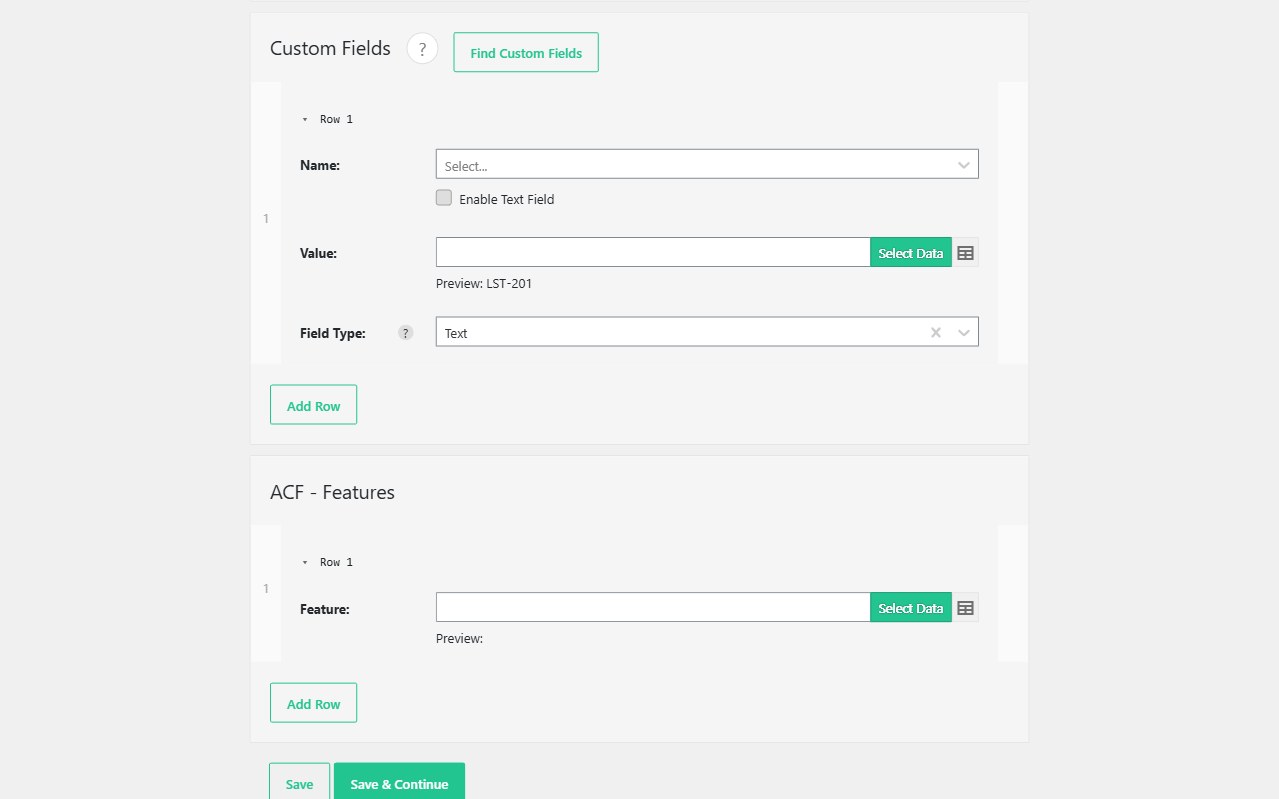
Custom fields are where a CSV import either becomes a listing site or a pile of empty posts. Import WP Pro maps CSV columns (and XML nodes) onto WordPress post meta and ACF field groups with the same visual selector as title and content — no PHP snippet per key.
Requires Import WP Pro. Core posts, pages, users, and media stay in the free plugin. Custom fields, custom post types, and ACF are Pro. JetEngine and Pods are separate Pro add-ons.
Import CSV data into WordPress custom fields
Create an importer, pick the post type (posts in Free; any CPT in Pro), and open the custom fields panel. Type a meta key or pick it from the “find custom fields” preview on an example post. Point that key at a CSV column.
That is the usual path when you import CSV data into WordPress custom fields after a rebuild: price, plot size, SKU, opening hours, and the rest of the listing model. Nested XML uses the same panel — select a node instead of a column.
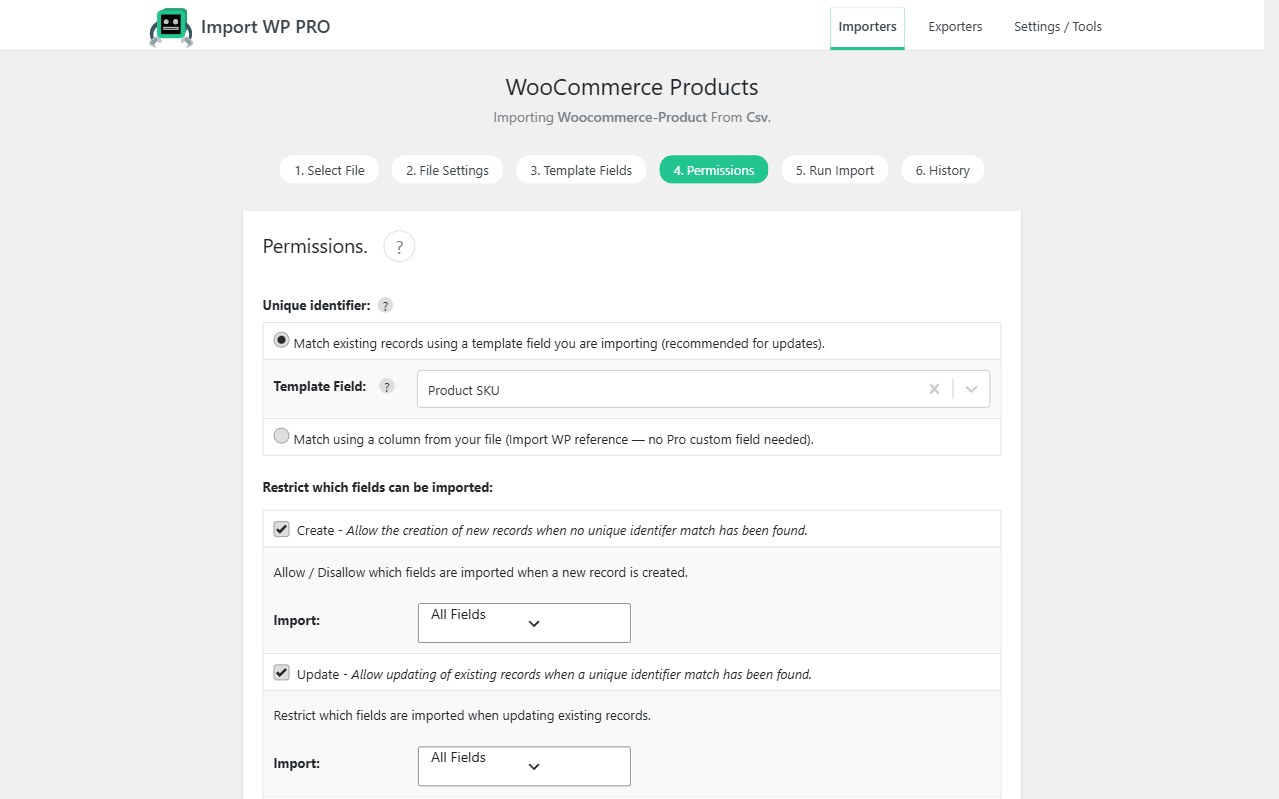
Set a unique identifier (SKU, reference, slug) on Permissions so a second run updates the same post. Unmapped meta is left alone. Mapped keys update according to insert vs update permissions.
See also: WordPress data importer. Field types that need ACF (repeaters, galleries, maps): import ACF from CSV.
Map CSV columns to post meta without a rigid template
There is no “column A must be the title” layout. Map title, content, taxonomies, images, and meta in whatever order the file actually uses. Messy exports are a parser problem first: custom delimiters, encodings, and Excel workbooks are covered on CSV, XML, and Excel.
Serialized PHP arrays and delimiter-joined multi-value cells are still data you map into a key. Prefer one column per field when you can; for ACF repeaters use the repeater importer instead of stuffing a serialized blob into one meta key.
Walkthrough for posts: Import WordPress posts from XML or CSV.
Import ACF fields from CSV (included in Pro)
If the site’s model is Advanced Custom Fields, do not buy a second ACF add-on. ACF ships inside Import WP Pro: Free and Pro field groups, including repeaters, galleries, relationships, and flexible content. JetEngine and Pods remain Pro add-ons.
Map generic post meta here. Use the ACF importer when the fields are ACF field groups.
Update WordPress custom fields without overwriting editorial copy
Most listing sites already have descriptions and galleries you must not wipe on a nightly price file.
- Unique key finds the existing post
- Only mapped custom fields write
- Skip unchanged rows on large catalogues (Pro) so a 20,000-row feed does not rewrite every
post_modified
That is a feed you can schedule with cron, not a one-off spreadsheet upload.
Custom fields import FAQ
Can I import custom fields with the free plugin?
Is ACF a paid add-on on top of Pro?
Will a re-import blank fields I did not map?
Compare licenses: Import WP Pro pricing.