
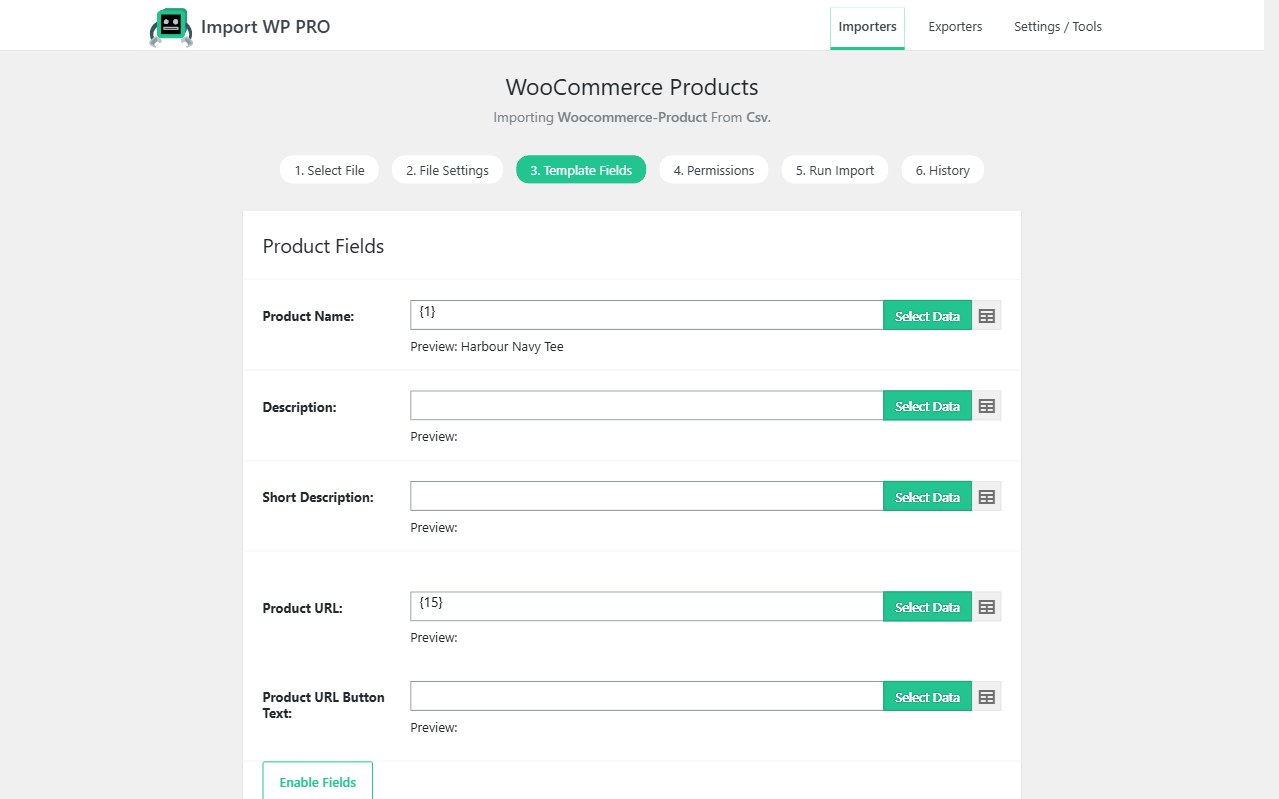
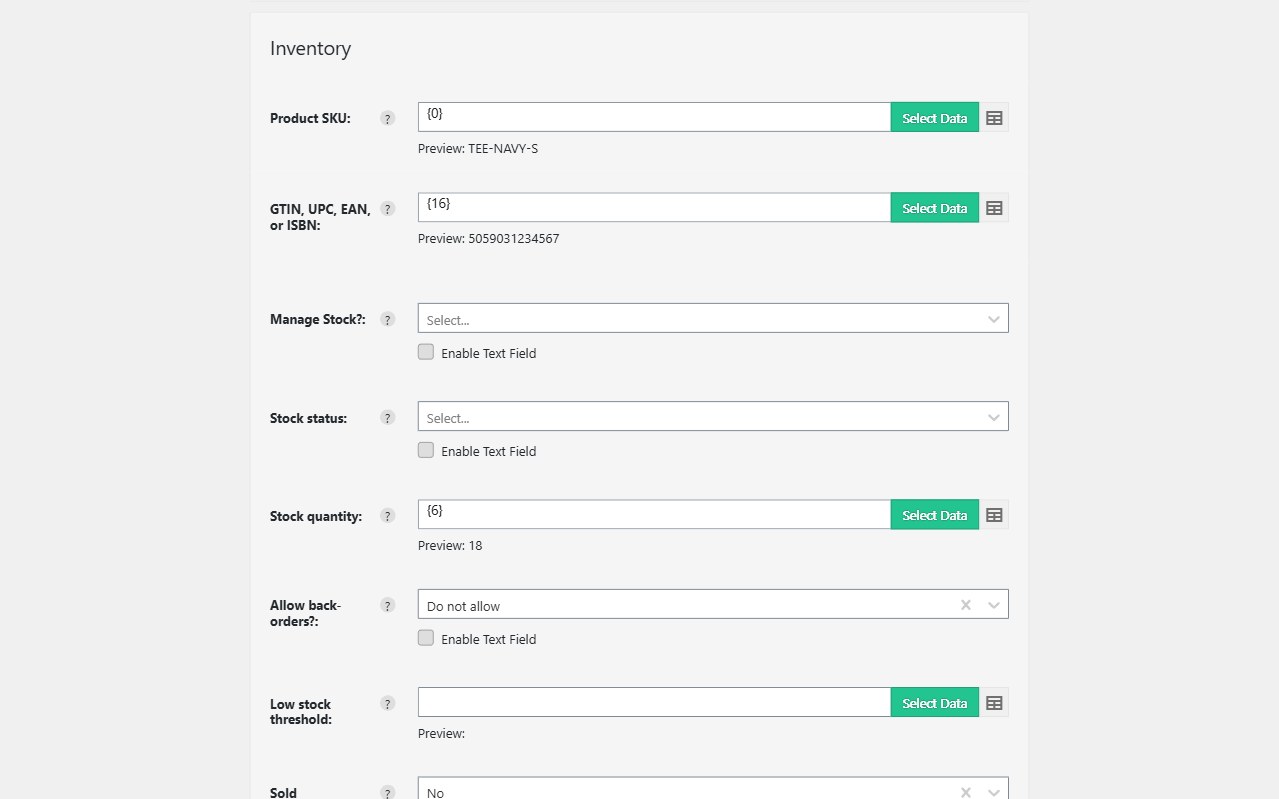
Replatforming is three importers, not one mixed spreadsheet: products, then customers, then orders. Import WP’s WooCommerce add-on maps Shopify (or Magento / BigCommerce) CSV columns onto WooCommerce fields with the visual selector. There is no Shopify API connector — you export CSV from the old platform and map it.
Free add-on for products, customers, and orders. Import WP Pro adds scheduled runs, custom fields, and ACF on products. JetEngine and Pods are Pro add-ons.
Import Shopify products CSV to WooCommerce
Create an importer and choose WooCommerce Products. Map title, SKU, description, regular/sale price, stock, categories, tags, images, and attributes. Unique key is SKU so a second export updates the catalogue instead of duplicating it.
Variable products: parent row with attributes, then variation rows linked by parent SKU. See WooCommerce product variations. Nested XML from a middleman feed: WooCommerce XML product feed.
Excel workbooks from finance: XLSX reader (free add-on). Images from CDN URLs: bulk import remote images.
Docs: Import WooCommerce products from CSV/XML.
Import Shopify customers and order history
Do not mix customers into the product file.
- WooCommerce Customers — email as unique key, billing and shipping groups, country as
GB/US. New-account emails off for historical loads. - WooCommerce Orders — stable Order Key (WooCommerce IDs cannot be inserted), customer email, line items by SKU + quantity. Products must exist first.
Guest orders are created when the customer lookup misses. Full maps: Import WooCommerce customers, Import WooCommerce orders.
The same sequence works for a Magento CSV to WooCommerce or BigCommerce export — map their column names, keep SKU and email as keys.
Preserve variations and catalogue structure on re-import
Permissions: Create on the first pass, then Update. Skip unchanged rows (Pro) when you re-export from Shopify during a long cutover. Do not change the unique-key field between runs.
Custom product meta and ACF extras are Pro. Core WooCommerce product fields are the free add-on.