
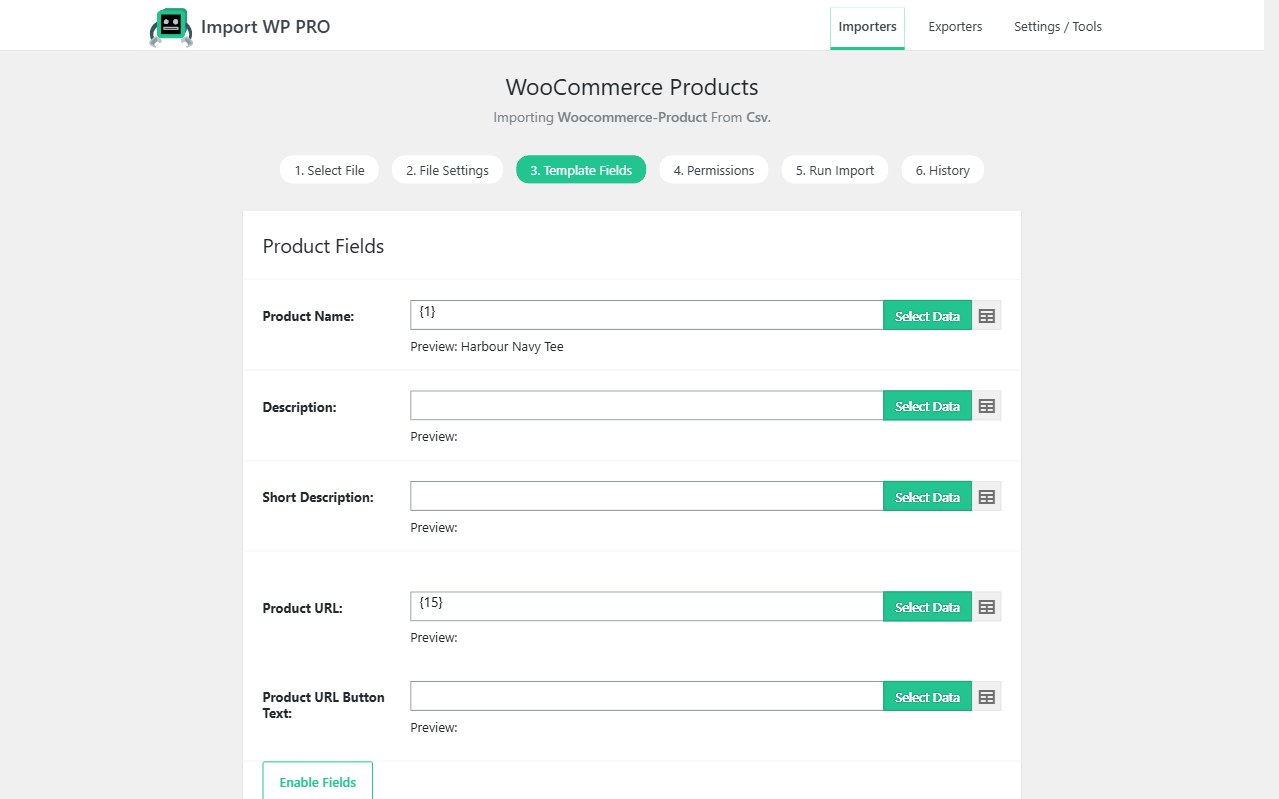
Affiliate catalogues are WooCommerce external products: a title, price, image, and a button URL instead of Add to Cart. Import WP’s WooCommerce add-on maps those feed columns onto the Products template — including product type external and the product URL.
Free add-on for the product template. You do not need Pro to import a CSV of offers. Import WP Pro is for scheduled cron, custom fields, and ACF on those products. JetEngine and Pods remain Pro add-ons.
Import an affiliate product feed into WooCommerce
Create an importer, choose WooCommerce Products, and set Product Type to external (or map a column that contains external). Map name, SKU, regular price, description, categories, images, and the Product URL (the affiliate link).
SKUs are the unique key. A network that re-sends the same offer ID should update price and URL, not create a second product. Featured and gallery images download from remote URLs into the Media Library — see bulk import remote images.
Field list: Import grouped and external products. Also see the WooCommerce importer.
Automate affiliate product feed imports on a schedule
Manual CSV drops go stale overnight. Point the saved importer at a remote URL, FTP, or Google Sheet and run hourly or daily with Import WP Pro. Skip unchanged rows so a 50,000-offer file only rewrites prices that moved.
That is how you schedule affiliate feed updates in WordPress without a custom cron plugin. Parser details (nested XML, delimiters, Excel): CSV, XML, and Excel. ZIP drops: ZIP archive importer.
Stock-only or price-only files can use the same SKU match with a slimmer mapping — WooCommerce stock and price sync.
Filter affiliate products before they hit the catalogue
Use Filter Rows on the Run Import tab to skip out-of-stock flags, empty prices, or categories you do not promote. Multiple AND/OR conditions are supported in the UI; more complex rules can be added in code.
Guide: How to filter records before importing.
Stock fields are not applied to external products — they do not hold inventory in WooCommerce. Filter on feed columns (availability, price, merchant) instead.