Skip to content
Import WP PRO
  • Features
    • ImportImport XML / CSV files into WordPress.
    • ExportExport WordPress data to csv, xml or json.
    • Bulk EditUse Excel / Sheets to quickly edit content.
  • Integrations
    • Advanced Custom Fields
    • JetEngine
    • Pods
    • WooCommerce
    • Yoast SEO
    • Rank Math SEO
    • Polylang
    • WPML
    • Zip Archive Importer
    • BLM File Importer
    • Microsoft XLSX File Reader
    • View all
  • Docs
  • Support
  • Pricing

Docs

Import History

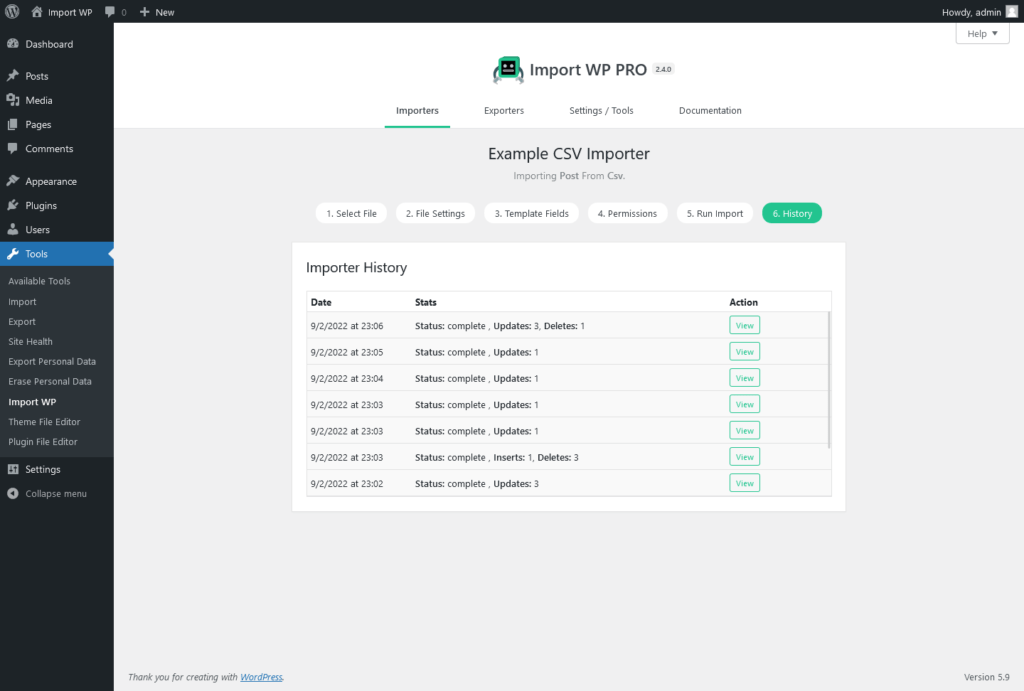
The history tab on the importer screen shows a list of all previous importers, showing the latest at the top.

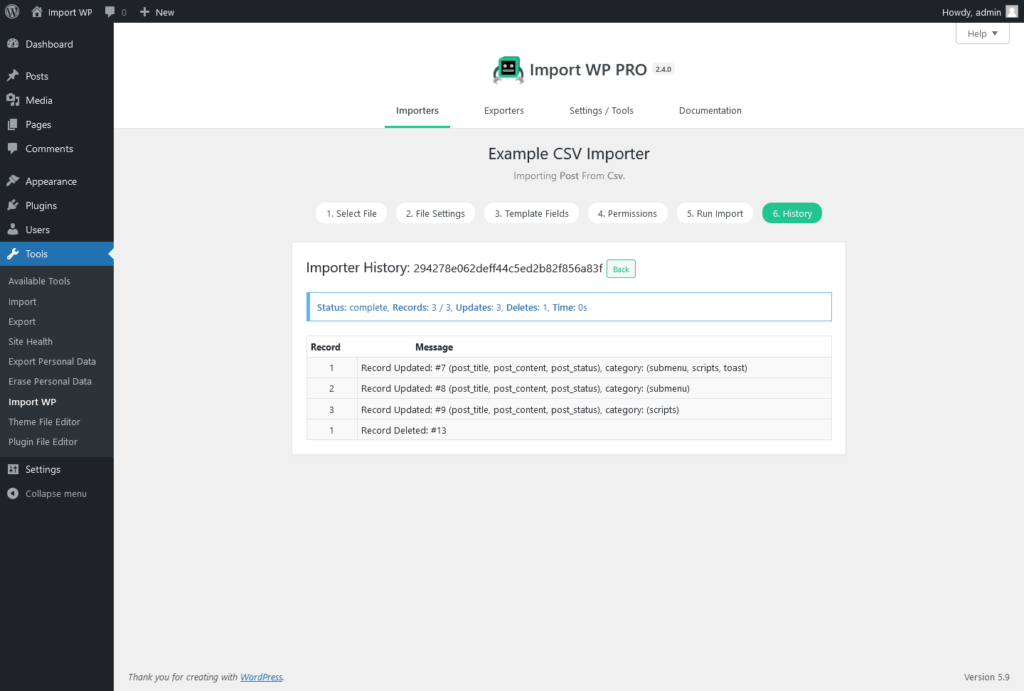
Clicking on view will expand that importer session and allow you to view it in more detail as shown in the following screenshot.

Docs

  • Importer
    • Create an importer
    • Selecting a file
    • File Settings
    • Template Fields
    • Permissions
    • Run Import
    • Import Posts
      • Overview
      • Post Attachments
      • Post Terms
    • Import Terms
    • Import Users
    • Import Attachments
    • Custom Fields
    • Import History
    • WooCommerce
      • Overview
      • Import WooCommerce Products
      • Import Simple Products
      • Import Variable Products and Variations
      • Import Product Attributes
      • Import Product Images and Galleries
      • Import Product Categories and Taxonomies
      • Update Existing WooCommerce Products
      • Import Product Stock and Inventory
      • Import Product Pricing
      • Import Grouped and External Products
      • Schedule WooCommerce Product Imports
      • WooCommerce Filters and Code Snippets
      • Common Errors and Troubleshooting (WooCommerce)
    • Advanced Custom Fields
      • Overview
      • Repeater fields
      • FAQ
    • JetEngine
      • Overview
    • Polylang
      • Overview
    • WPML
      • Overview
    • BLM Importer
      • Overview
    • Advanced Topics
      • Filter records
      • Schedule Importer
      • Import from Google Sheets
      • Import Google Drive Attachments
      • Custom methods
      • Multi-character delimiters
      • Custom importer template
  • Exporter
    • How to add an exporter
    • Choosing export file type
    • Run export
  • General
    • Plugin Installation
    • Automatic Updates
    • Using Code Snippets
    • Changelog
Import WP

© Copyright 2026 by importwp.com.

Integrations
  • Advanced Custom Fields
  • JetEngine
  • Pods
  • WooCommerce
  • Yoast SEO
  • Rank Math SEO
  • Polylang
  • WPML
  • Zip Archive Importer
  • BLM File Importer
  • Microsoft XLSX File Reader
  • View all
Useful links
  • Pricing
  • Documentation
  • Support
  • Contact us
Manage Consent
To provide the best experiences, we use technologies like cookies to store and/or access device information. Consenting to these technologies will allow us to process data such as browsing behaviour or unique IDs on this site. Not consenting or withdrawing consent, may adversely affect certain features and functions.
Functional Always active
The technical storage or access is strictly necessary for the legitimate purpose of enabling the use of a specific service explicitly requested by the subscriber or user, or for the sole purpose of carrying out the transmission of a communication over an electronic communications network.
Preferences
The technical storage or access is necessary for the legitimate purpose of storing preferences that are not requested by the subscriber or user.
Statistics
The technical storage or access that is used exclusively for statistical purposes. The technical storage or access that is used exclusively for anonymous statistical purposes. Without a subpoena, voluntary compliance on the part of your Internet Service Provider, or additional records from a third party, information stored or retrieved for this purpose alone cannot usually be used to identify you.
Marketing
The technical storage or access is required to create user profiles to send advertising, or to track the user on a website or across several websites for similar marketing purposes.
  • Manage options
  • Manage services
  • Manage {vendor_count} vendors
  • Read more about these purposes
View preferences
  • {title}
  • {title}
  • {title}